
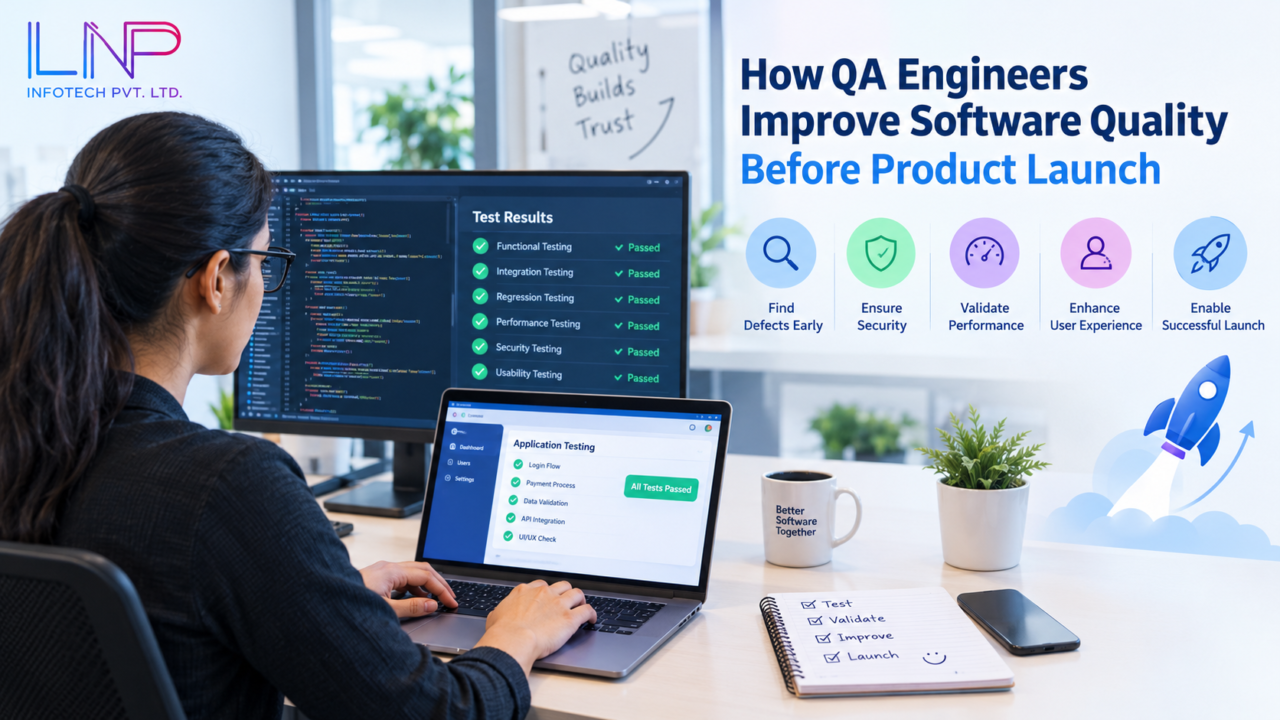
Launching a software product involves more than developing features and making sure the application runs. Before customers begin using it, businesses need confidence that the software works as expected, protects user data, performs reliably, and provides a smooth user experience.
Even a small defect can create significant problems after launch. A payment failure may interrupt sales, an incorrect calculation may affect business decisions, or a broken registration flow may prevent potential customers from creating accounts.
This is where Quality Assurance (QA) engineers play an important role.
QA engineers help identify defects, validate requirements, test user journeys, assess application performance, and verify that software is ready for release. Their work helps development teams detect problems before those issues reach customers.
In this guide, we explain how QA engineers improve software quality before product launch, the types of testing they perform, the tools they use, and how businesses can build an effective pre-launch quality assurance process.
What Is a QA Engineer?
A Quality Assurance engineer is a professional who evaluates software to determine whether it meets its functional, technical, usability, and quality requirements.
QA engineers work with developers, product managers, designers, business analysts, and other stakeholders to identify potential problems throughout the software development lifecycle.
Their responsibilities can include:
- Reviewing requirements and identifying unclear specifications.
- Preparing test plans, test scenarios, and test cases.
- Performing manual and automated testing.
- Identifying, documenting, and tracking software defects.
- Validating fixes and checking for regression issues.
- Testing APIs, integrations, user interfaces, and data flows.
- Evaluating performance and application security with appropriate specialists.
- Reporting release risks and helping teams make informed launch decisions.
QA is not simply about finding bugs after development. It is a structured process for preventing defects, validating expected behavior, and improving confidence in the final product.
Why Is Quality Assurance Important Before a Software Launch?
Software development projects often involve multiple features, integrations, user roles, and dependencies. Even when individual components work correctly, problems can emerge when those components interact.
For example, an e-commerce application may have a working product catalog, shopping cart, payment gateway, and order management module. However, an integration issue could prevent successful payments from creating orders.
Testing individual components alone may not uncover this problem. End-to-end testing can reveal the failure before customers encounter it.
QA helps businesses address several important risks before launch.
1. Prevents defects from reaching customers
QA engineers test software against expected behavior and identify defects before release.
They may uncover problems such as incorrect calculations, broken links, failed form submissions, unexpected application crashes, or missing validation rules.
Early detection gives developers an opportunity to investigate the root cause and correct the problem before it affects users.
2. Protects business operations and revenue
Software defects can interrupt transactions, delay internal processes, or prevent customers from completing important actions.
For example, a defect in a booking platform might allow customers to reserve an already-booked time slot. A defect in an inventory system might display incorrect stock availability.
Testing important business workflows helps reduce the risk of these operational failures.
3. Improves user experience
Customers expect applications to be understandable, responsive, and consistent across devices.
QA engineers can identify confusing validation messages, inaccessible controls, broken navigation, layout problems, and other usability issues.
A smoother experience can help users complete tasks with less frustration.
4. Reduces avoidable rework
When defects are discovered late, developers may need to revisit code, database logic, integrations, and previously completed features.
Testing during development can reveal issues earlier, when their causes may be easier to isolate.
NIST recommends thorough software verification throughout the development lifecycle as one practice for improving software security and reducing vulnerabilities. Its guidance also emphasizes combining different verification techniques rather than relying on a single testing method.
5. Builds confidence in release decisions
Before launch, stakeholders need evidence that critical features have been tested, important defects have been addressed, and remaining risks are understood.
QA reports provide information about test coverage, defect severity, unresolved issues, and release readiness.
This helps product owners and engineering leaders make more informed launch decisions.
10 Ways QA Engineers Improve Software Quality Before Product Launch
1. Reviewing requirements before testing begins
Effective QA starts before the application is fully developed.
QA engineers review requirements, user stories, acceptance criteria, designs, and business rules to identify missing details or conflicting expectations.
Suppose a business application allows users to reset passwords. The requirement might state that users can request a password reset but fail to specify how long the reset link remains valid or what happens after it has been used.
A QA engineer can raise these questions before implementation is complete.
This reduces ambiguity and helps the team define testable acceptance criteria.
Business benefit: Fewer misunderstandings, clearer expectations, and less rework during development.
2. Creating test plans and test cases
QA engineers translate business requirements into structured testing activities.
A test plan generally defines the scope of testing, responsibilities, environments, timelines, risks, and release criteria. Test cases describe specific conditions, actions, and expected results.
For example, a registration feature might require test cases for:
- Valid registration details.
- Missing mandatory fields.
- Invalid email addresses.
- Duplicate accounts.
- Incorrect password formats.
- Expired verification links.
- Network interruptions during submission.
- Repeated requests and unusual input combinations.
The goal is to test both expected behavior and situations where the software may fail.
Well-designed test cases also make it easier to repeat important checks after code changes.
3. Performing functional testing
Functional testing verifies whether an application behaves according to its requirements.
QA engineers check that features produce the expected results under different conditions.
For an online retail application, functional testing might cover:
- Product search and filtering.
- Cart updates and quantity changes.
- Discount calculations.
- Checkout and payment processing.
- Order confirmation.
- Inventory updates.
- Refund workflows.
- Customer notifications.
Testing these workflows helps reveal defects that may not be obvious from examining individual screens.
Example: A discount code may work correctly when a customer purchases one item but produce an incorrect total when multiple discounts or shipping charges are involved. Functional testing helps uncover such cases.
4. Testing integrations and APIs
Modern applications often rely on third-party services, including payment gateways, accounting platforms, identity providers, messaging services, and external business systems.
QA engineers validate how the application exchanges data with these services.
Integration testing can examine:
- Whether requests contain the correct data.
- Whether responses are handled correctly.
- How authentication failures are managed.
- What happens when an external service is unavailable.
- Whether duplicate requests create duplicate transactions.
- Whether timeouts and retries are handled safely.
- Whether data remains consistent across connected systems.
For example, a payment gateway may confirm a transaction while the application fails to update the order status because of a network interruption.
Testing this scenario helps teams verify how the system recovers and whether it avoids charging customers twice.
Businesses developing connected applications can also review LNP Infotech’s API integration specialist, when planning integration work.
5. Performing regression testing
Regression testing checks whether a new change has unintentionally affected functionality that previously worked.
This is important because software features are interconnected. A change to authentication, database logic, shared components, or payment processing can affect other areas of an application.
Consider an application that introduces a new subscription plan. The development team may update pricing logic, account permissions, billing calculations, and the customer dashboard.
Regression tests can help verify that existing subscription plans and related workflows continue to operate correctly.
QA teams often automate frequently repeated regression tests so they can run them after relevant code changes.
Business benefit: Greater confidence that new features can be introduced without unnecessarily breaking existing functionality.
6. Validating application performance and scalability
An application that works correctly for one user may struggle when many users access it simultaneously.
Performance testing helps evaluate response times, throughput, resource utilization, and stability under expected workloads.
Depending on the application, QA engineers may coordinate:
- Load testing: Evaluating behavior under an expected workload.
- Stress testing: Examining how the application behaves beyond its expected capacity.
- Spike testing: Checking responses to sudden increases in traffic.
- Endurance testing: Observing behavior during sustained workloads.
- Scalability testing: Assessing how performance changes as resources or workloads increase.
For example, a ticket-booking platform may perform well during routine testing but slow down significantly when thousands of users attempt to book tickets at once.
Performance testing can help identify database bottlenecks, inefficient queries, resource constraints, and slow external dependencies before launch.
The appropriate workload should be based on realistic usage expectations rather than arbitrary user counts.
7. Checking application security
Software quality includes protecting the application and its users against foreseeable security threats.
QA engineers can test security-related behavior within their scope and work with developers and security specialists to investigate vulnerabilities.
Relevant checks may include:
- Authentication and password-reset workflows.
- Role-based access and authorization.
- Session expiration and logout behavior.
- Input validation and error handling.
- Unauthorized access to records or files.
- Exposure of sensitive information in responses or logs.
- Security-related behavior of APIs.
- Common web application vulnerabilities.
For example, a business application may correctly hide an administrative button from a standard user but still allow that user to access the administrative API directly.
Authorization testing can reveal this type of issue.
Security testing should be adapted to the application’s architecture and risk profile. Automated scanners can help identify known vulnerability patterns, but they do not replace appropriate manual review or specialist penetration testing.
Useful references include the OWASP Web Security Testing Guide and the NIST Secure Software Development Framework.
8. Testing usability, accessibility, and compatibility
A technically correct application can still frustrate users if its interface is confusing or difficult to operate.
QA engineers can verify that key user journeys are understandable and that interface elements behave consistently.
Typical checks include:
- Navigation and page transitions.
- Form labels and validation messages.
- Readability and visual consistency.
- Keyboard navigation.
- Accessible names and control behavior.
- Responsive layouts across screen sizes.
- Browser and operating-system compatibility.
- Touch interactions on mobile devices.
For example, a checkout button may be visible on a desktop but overlap the order summary on a smaller mobile screen. Responsive testing can uncover the issue before launch.
Accessibility requirements should be defined according to the product’s audience and applicable standards. Where appropriate, teams can use the W3C Web Accessibility Initiative resources to guide their evaluation.
9. Validating data accuracy and business rules
Applications frequently process business-critical information such as customer records, invoices, inventory, subscriptions, and financial calculations.
QA engineers verify that the application stores, transforms, retrieves, and displays data correctly.
This may include checking:
- Calculations and rounding rules.
- Date and time handling.
- Data validation and required fields.
- Data consistency across modules.
- Import and export functionality.
- Database updates after transactions.
- Duplicate records and invalid references.
- Permissions for viewing and editing data.
For example, a reporting dashboard may display correct figures for an individual transaction but calculate the wrong monthly total because refunds are handled incorrectly.
Testing calculations against known expected results can help uncover these defects.
10. Running final smoke tests and supporting release readiness
After a release candidate is deployed to a staging environment, QA engineers often perform smoke testing to confirm that the most important functions work.
A smoke test might verify that:
- Users can sign in.
- Core pages load.
- Key APIs respond correctly.
- Important database operations succeed.
- Primary business workflows can be completed.
- Critical integrations are reachable.
- No obvious release-blocking issue has appeared.
Smoke testing is not a substitute for comprehensive testing. It is a quick check that helps establish whether the build is stable enough for further validation or release.
QA engineers also summarize outstanding defects, test results, and unresolved risks so stakeholders can decide whether the product is ready to launch.
Types of Software Testing Used Before Launch
Different testing methods uncover different kinds of defects. A strong QA strategy combines the methods that best match the application’s requirements and risks.
| Testing type | What it verifies | Example |
|---|---|---|
| Unit testing | Individual functions or components | A tax calculation returns the expected result |
| Integration testing | Communication between components | A successful payment updates an order |
| Functional testing | Required application behavior | Users can complete registration |
| Regression testing | Existing functionality after changes | Checkout still works after a pricing update |
| System testing | The integrated application as a whole | An end-to-end purchase completes correctly |
| User acceptance testing (UAT) | Whether business needs and acceptance criteria are met | Business stakeholders approve an invoice workflow |
| Performance testing | Speed, capacity, and stability | The application handles expected concurrent traffic |
| Security testing | Security controls and vulnerabilities | Users cannot access unauthorized records |
| Compatibility testing | Behavior across browsers, devices, and environments | Forms work on supported mobile browsers |
| Accessibility testing | Accessibility of interfaces and interactions | Forms can be completed using a keyboard |
These activities can overlap. The right mix depends on the application’s complexity, business impact, release schedule, and risk profile.
Manual Testing vs. Automated Testing: What Should QA Teams Use?
Manual and automated testing serve different purposes. Neither is a complete replacement for the other.
Manual testing
Manual testing involves a person interacting with the application and evaluating its behavior.
It is particularly useful for exploratory testing, usability assessment, unusual workflows, and situations where human judgment is important.
Advantages:
- Supports flexible exploration of unexpected behavior.
- Helps identify confusing user experiences.
- Allows testers to investigate unfamiliar features.
- Is useful when requirements are changing frequently.
Limitations:
- Repeated checks can consume significant time.
- Results may vary between testers.
- Large regression suites can become expensive to maintain manually.
Automated testing
Automated testing uses scripts and tools to execute checks and compare actual results with expected outcomes.
It is especially useful for stable, repeatable workflows and checks that need to run frequently.
Advantages:
- Repeats tests consistently.
- Supports faster regression testing.
- Can run as part of continuous integration pipelines.
- Helps teams validate important workflows after code changes.
Limitations:
- Test scripts require development and maintenance.
- Poorly designed tests can produce unreliable results.
- Automated checks may miss usability problems and unexpected business logic defects.
- Automation does not guarantee comprehensive test coverage.
Which approach is better?
Most development teams benefit from a combination of manual and automated testing.
For example, a QA team may manually explore a new checkout experience while using automated tests to repeatedly verify login, payment calculations, order creation, and core regression scenarios.
The objective is not to automate everything. It is to use each approach where it provides the most value.
How QA Engineers Fit Into the Software Development Lifecycle
QA is most effective when it is integrated into development rather than postponed until the product is nearly finished.
A typical workflow includes the following stages.
Stage 1: Requirements and planning
QA engineers review requirements, identify risks, clarify acceptance criteria, and help define the testing scope.
Stage 2: Design and development
Test cases are prepared while features are being designed and built. Developers test their code, and QA engineers begin validating available components.
Stage 3: Integration and system testing
The team verifies that individual features, APIs, databases, and external services work together as expected.
Stage 4: Regression and non-functional testing
The team checks existing functionality and evaluates relevant performance, security, compatibility, and accessibility requirements.
Stage 5: User acceptance and release validation
Business stakeholders validate important workflows, QA performs final checks, and unresolved risks are documented for release decisions.
Stage 6: Post-launch monitoring
After deployment, the team monitors errors, performance, user feedback, and production incidents. Relevant tests are updated to prevent similar defects from recurring.
This lifecycle-based approach aligns with the OWASP testing framework, which describes security and verification activities across requirements, design, development, deployment, and maintenance.
Essential QA Metrics to Track Before Product Launch
QA metrics help teams understand testing progress and make better release decisions. They should be interpreted together rather than treated as isolated proof of quality.
| Metric | What it tells you | Why it matters |
|---|---|---|
| Test execution rate | How many planned tests have been executed | Shows progress against the testing plan |
| Pass rate | The proportion of executed tests that passed | Helps summarize current test results |
| Requirements coverage | How many requirements have corresponding tests | Highlights potentially untested requirements |
| Defect severity | The business and technical impact of identified defects | Helps prioritize fixes |
| Defect leakage | Defects discovered after release that escaped earlier testing | Helps assess gaps in the QA process |
| Regression test coverage | How much important existing functionality is checked repeatedly | Helps manage risks from new changes |
| Defect retest status | Whether fixes have been verified | Prevents unresolved issues from being mistaken for completed work |
| Performance results | Response times, throughput, errors, and resource usage | Shows whether performance targets are met |
A high pass rate alone does not prove that an application is ready. If critical requirements have not been tested, the team may have a misleading picture of quality.
Similarly, a large number of test cases does not automatically indicate strong testing. Coverage, relevance, defect severity, and actual business risks matter more than raw counts.
Pre-Launch QA Checklist for Businesses
Before releasing a new application or a major update, use this checklist to review the main areas of software quality.
Requirements and functionality
Acceptance criteria are defined for critical features.
Core user journeys have passed functional testing.
Forms, calculations, permissions, and error handling have been checked.
Negative and boundary scenarios have been tested.
Integrations and data
Critical APIs and third-party integrations have been tested.
Important database operations and data calculations have been validated.
Relevant timeout, retry, and failure scenarios have been checked.
Duplicate requests and transaction recovery have been tested where applicable.
Security and performance
Authentication and authorization behavior has been verified.
Required security checks have been completed.
Performance has been evaluated against expected workloads.
Significant performance bottlenecks have been investigated.
User experience and compatibility
Supported browsers and devices have been tested.
Responsive layouts and relevant accessibility requirements have been checked.
Important usability issues have been reviewed.
User-facing error messages are clear and helpful.
Release readiness
Regression tests have passed for critical functionality.
Release-blocking defects have been resolved or formally addressed.
Deployment and rollback arrangements have been reviewed.
Monitoring and incident-response responsibilities are clear.
Stakeholders have reviewed the test results and accepted any remaining risks.
This checklist should be adapted to the application’s architecture, business requirements, and applicable compliance obligations. It is a practical review tool, not a guarantee that an application is completely defect-free.
Common QA Mistakes to Avoid Before Launch
Even teams that perform testing can overlook important risks when their QA process is poorly planned.
1. Testing only at the end
Waiting until development is complete can leave too little time to investigate and resolve major defects. Involve QA during requirement reviews and feature development.
2. Testing only the expected user journey
Users may enter invalid information, lose connectivity, repeat an action, or attempt to access something they are not authorized to use. Include negative, boundary, and failure scenarios.
3. Relying entirely on automated tools
Automation is valuable, but it cannot reliably replace human evaluation of every business rule, usability issue, or security risk. Combine automated checks with exploratory and risk-based testing.
4. Ignoring third-party dependencies
External services can fail, respond slowly, change behavior, or return unexpected data. Test integration failure paths and recovery behavior, not just successful responses.
5. Treating all defects equally
A minor visual inconsistency and a defect that exposes customer data do not have the same impact. Prioritize issues by severity, likelihood, business consequences, and affected users.
6. Launching without clear acceptance criteria
Without agreed release criteria, teams may disagree about whether the product is ready. Define what must pass, which issues block release, and who accepts any remaining risks.
When Should a Business Hire QA Engineers?
Businesses should consider dedicated QA support when software complexity or release risk exceeds what developers can reliably validate within their existing workload.
Common situations include:
- Building a new web or mobile application.
- Launching a SaaS platform with multiple user roles.
- Integrating payment gateways or external business systems.
- Releasing frequent updates to an existing product.
- Handling sensitive customer or financial data.
- Experiencing recurring production defects.
- Preparing for a major migration or product redesign.
- Expanding to new browsers, devices, or customer segments.
The appropriate team structure depends on the project. A smaller application may need a QA engineer who handles a broad range of testing activities. A complex product may require automation specialists, performance testers, or dedicated security professionals in addition to general QA support.
Businesses evaluating their options can explore hire affordable QA engineers India to assess the testing expertise needed for their project.
For broader development requirements, custom software development services can also help businesses plan application development alongside testing, integration, and maintenance considerations.
How to Build an Effective QA Strategy for Your Product
An effective QA strategy should be proportionate to the software’s complexity and business impact.
Start by identifying the features that would cause the greatest harm if they failed. For an e-commerce application, this might include checkout, payments, order creation, and inventory updates. For a healthcare application, it could include access controls, record accuracy, and critical workflows.
Next, define measurable acceptance criteria, choose appropriate testing methods, and identify which checks should be automated. Establish a repeatable process for logging defects, assigning priorities, verifying fixes, and reviewing unresolved risks.
Finally, connect testing with the development and deployment workflow. Automated tests can run when code changes, while broader regression, performance, usability, and security assessments can be scheduled according to release risk.
The goal is not to prove that software can never fail. It is to build evidence that important requirements have been tested, significant risks are understood, and the team has a plan for monitoring and addressing problems that remain.
Conclusion
Software quality is not something businesses can reliably add at the last minute. It requires clear requirements, repeatable testing, collaboration between developers and QA professionals, and informed release decisions.
QA engineers improve software quality before product launch by identifying defects, validating critical workflows, testing integrations, evaluating performance, checking security controls, and helping teams understand release risks.
A structured QA process can reduce avoidable rework, protect important business operations, and create a more dependable experience for customers.
If you are developing a new application or preparing an existing product for launch, investing in the right testing strategy can help your team release with greater confidence.
Need QA support for your next software release?
Explore LNP Infotech’s QA engineer hiring services or discuss your software development project with our team.
Frequently Asked Questions
1. What is the role of a QA engineer before a software launch?
A QA engineer validates requirements, prepares test cases, performs manual and automated testing, identifies defects, verifies fixes, and reports release risks. The goal is to help the team determine whether the software meets its expected quality requirements.
2. How early should QA testing begin?
QA should begin during requirements and design discussions, not only after development is finished. Early involvement helps identify ambiguous requirements, missing acceptance criteria, and potential defects before they become expensive to correct.
3. What types of testing should be completed before launch?
Most applications need functional, integration, regression, and system testing. Depending on the product, teams may also need performance, security, compatibility, accessibility, and user acceptance testing.
4. Is manual testing enough for a software product?
Manual testing can be sufficient for some limited or short-lived applications, but it becomes difficult to repeat large numbers of checks consistently as a product grows. Many teams combine manual testing with automation for stable, frequently repeated scenarios.
5. How do QA engineers reduce software development costs?
QA engineers can identify defects before they reach production, reduce avoidable rework, validate integrations, and help prevent incidents that require urgent fixes. The actual savings depend on the project and the effectiveness of the testing process.
6. What is the difference between QA and software testing?
Quality Assurance is the broader process of improving and maintaining software quality. Software testing is one activity within that process, focused on evaluating software behavior and identifying defects. QA can also include process reviews, prevention practices, standards, and continuous improvement.
7. How do you know whether software is ready for launch?
Release readiness should be based on agreed acceptance criteria, the results of critical tests, defect severity, performance and security requirements, and operational preparedness. Stakeholders should understand any remaining risks before approving the release.
8. Should startups hire a dedicated QA engineer?
It depends on product complexity, release frequency, and the consequences of defects. Startups with important integrations, complex workflows, or frequent releases may benefit from dedicated QA support. Smaller projects may begin with a shared QA role and increase testing capacity as the product grows.